
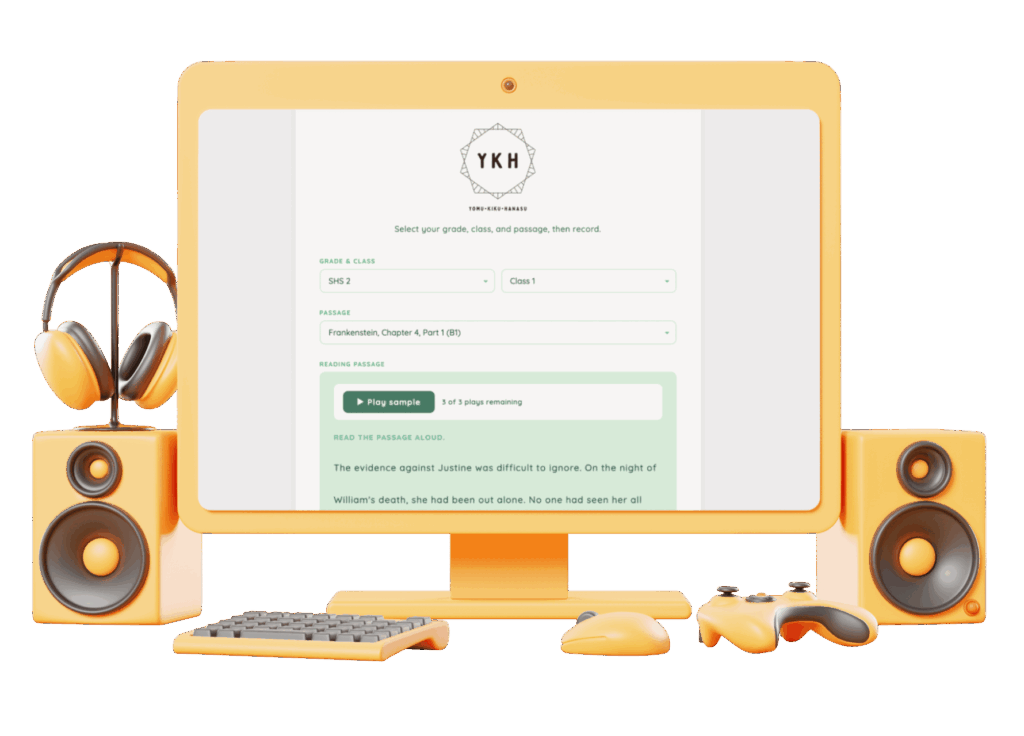
Yomu. Kiku. Hanasu (Read, Listen, Speak): A listening and speaking recorder for Google Classroom built with plain HTML, Javascript and a little PHP in Claude Code.

Overview
Yomu Kiku Hanasu (Read Listen Speak) is a browser-based audio recorder that lets JHS and SHS students practice reading aloud and speaking, then submit their recordings as links in Google Classroom.
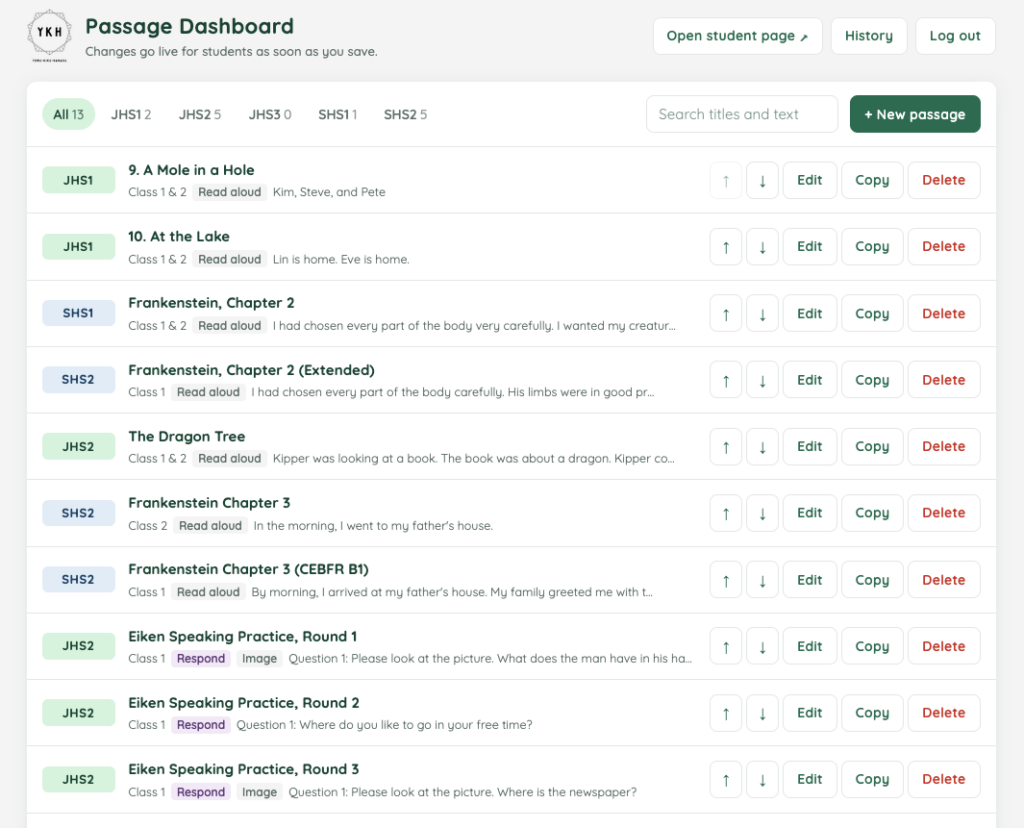
It runs on my own web host, so it doesn’t depend on a paid feature in a third-party platform. A password-protected dashboard lets me manage the passages and prompts students see.
Context
Google Classroom handles grading and feedback well but has no simple built-in way for students to record and submit speaking tasks.
Platforms that offer audio submission often put it behind a premium subscription. I wanted a lightweight option that fits the workflow students already know: record, copy a link, submit in Classroom.
How it works for students
- Students choose their grade, class, and passage, then record in the browser. No app or account is needed.
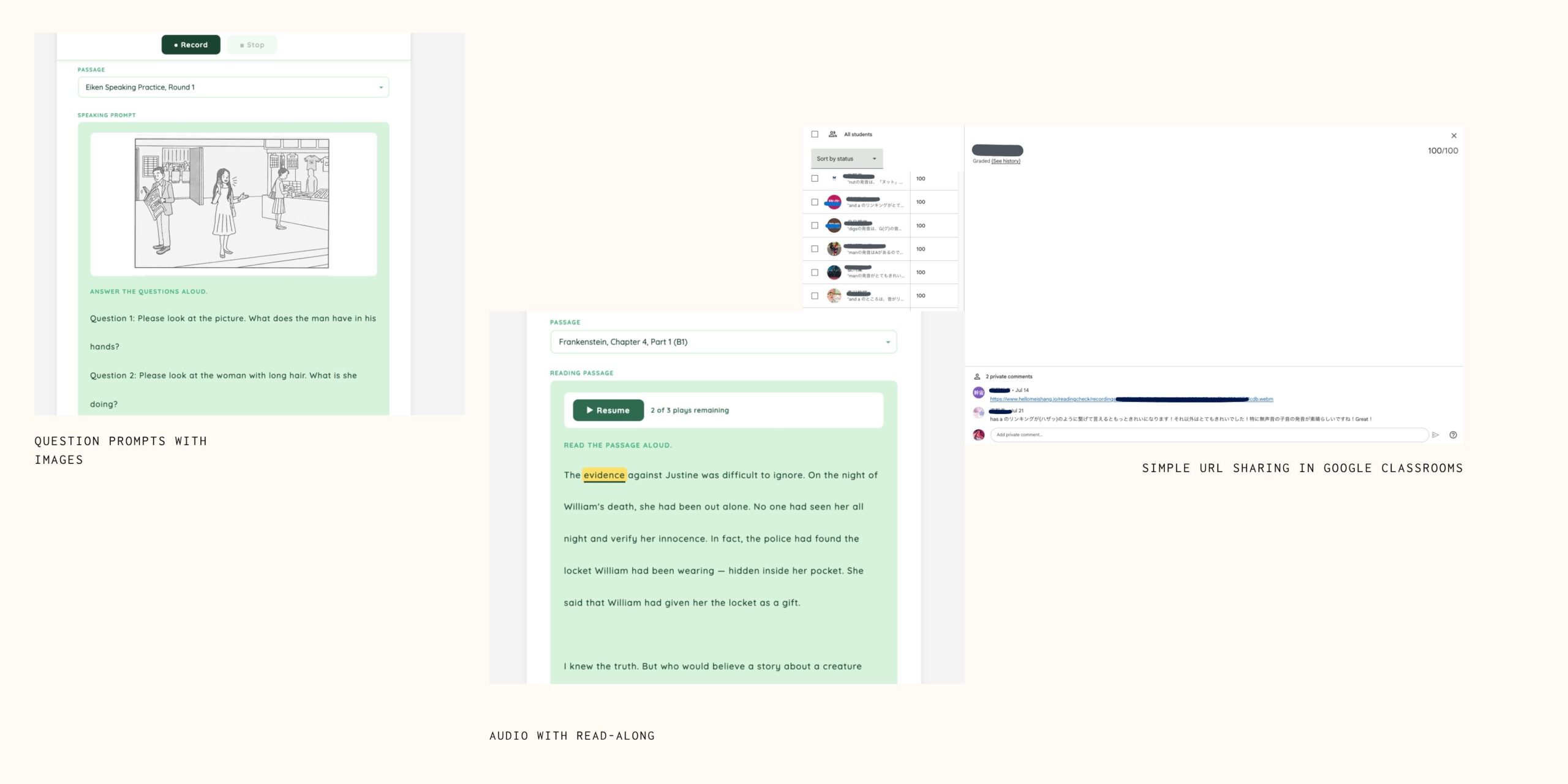
- Passages come in two types. Read-aloud passages target decoding and fluency. Respond prompts are Eiken-style questions that students answer aloud.
- Some passages include a model audio sample that students may play up to three times. Playback is blocked while recording, so the sample isn’t picked up by the microphone.
- Read-along passages highlight each word as the model audio plays.
- For JHS 1 and 2, students must listen to their whole recording before they can submit. The browser also checks locally whether the recording is too short, silent, too quiet, or mostly silence. Students can still submit after a warning, but the result is added to the filename so flagged submissions sort together when I grade.
How it works for teachers
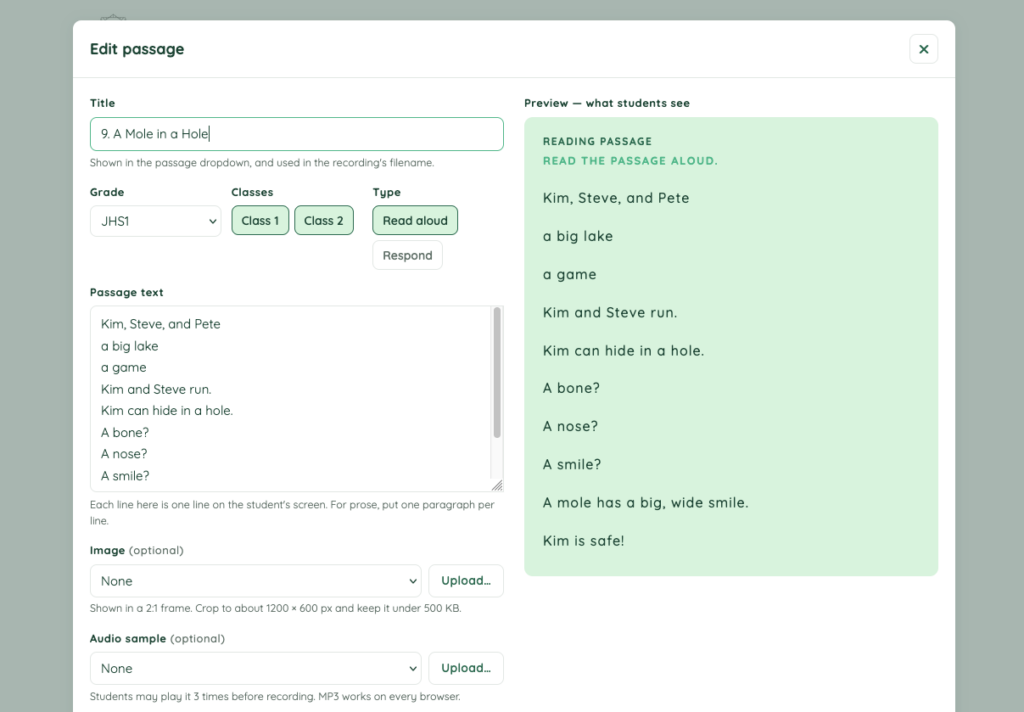
- A browser dashboard for adding, editing, reordering, and copying passages, with a live preview of what students will see.
- Image and audio uploads, with a flag when a passage points to a missing file.
- A tap-to-time editor for read-along highlighting. It turns highlighting off automatically if the passage text or audio changes, so students never see mismatched highlights.
- Automatic version history for the passage bank, with one-click restore.
Design Decisions
- No student data stored. There is no database. A recording’s filename (grade, class, passage, first name and last initial, date, and a random token) is the only identifier.
- Warnings over blocks. The self-check guides students but never stops them from submitting. A warning that fires on a genuine attempt teaches students to ignore warnings.
- Fail safely. A malformed passage is skipped rather than breaking the page, and changing passages after recording discards the recording so audio can’t be filed under the wrong passage.
Adoption
Yomu・Kiku・Hanasu is in regular use with JHS 1 classes, where students submit a weekly read-aloud assignment through it. Each week students practice phonics with the English teacher, then post the assignment in Google Classroom as homework. Students open the tool, choose their class and that week’s passage, record themselves reading, listen back, and paste the recording link into Classroom, where the teacher scores it and provides feedback.
JHS 1 is also where the self-check matters most: students cannot submit until they have listened to their full recording, and recordings that look incomplete are flagged in the filename so I can find them quickly when grading.
Since first semester of April 2026, 36 JHS 1 students across two separate classes have submitted twelve weekly assignments this way.
Limitations and next steps
- Students have no accounts, and recording links are public (though hard to guess because of the random token). This works in a single classroom but would need proper authentication to scale.
- The self-check thresholds haven’t yet been calibrated against students’ actual devices.
- Old recordings are cleared by hand after grading.
Working with Claude Code
tips for educators
- I described the classroom problem, not the code. For example: “I want a dashboard so I stop editing the JSON file by hand.” Claude read the existing project before suggesting anything.
- We talked before building. For read-along, I asked for scope and strategy first. Claude laid out the options and trade-offs. I made the teaching decisions, such as turning it on per passage and keeping the three-play limit.
- Backups came first. Claude saved a copy of every file before each change, following the backup routine I already had.
- It tested its own work and said what it couldn’t test. Claude checked the pages in a built-in browser and caught and fixed a bug before I saw it. It told me which parts could only be checked on my live website, so I knew what to try first.